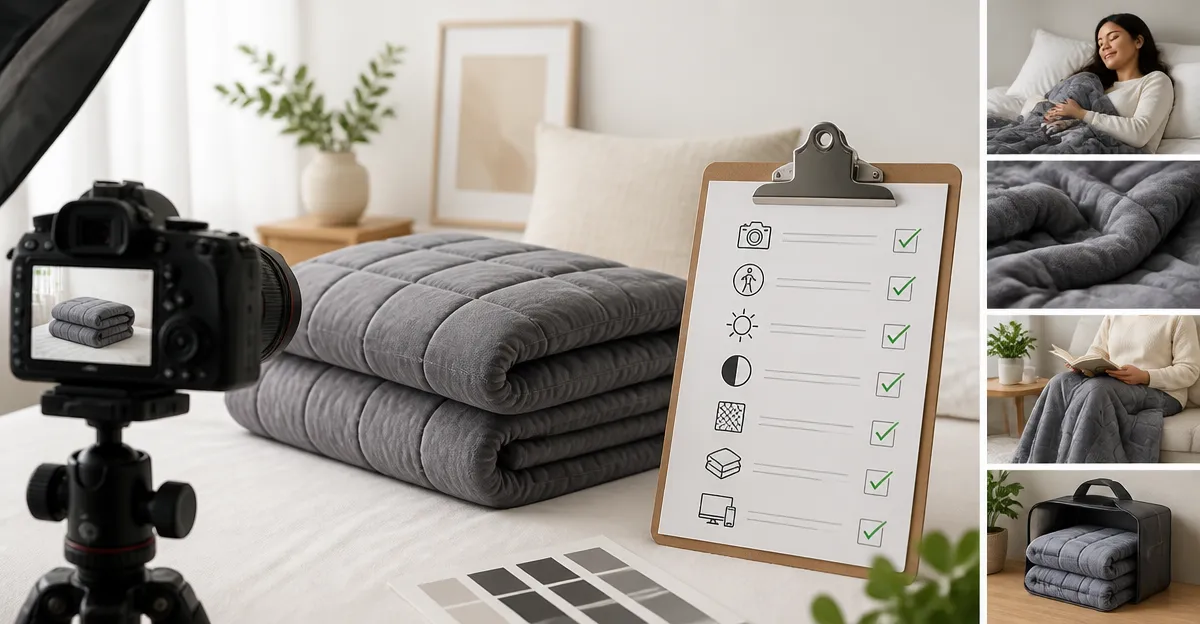
Accessible Product Photography Checklist for Weighted Blankets: A Step‑by‑Step Guide to Inclusive, High‑Converting Ecommerce Images
Introduction
Creating images that both attract shoppers and respect diverse user needs is essential for modern ecommerce. This guide explains the complete workflow for photographing weighted blankets in a way that is accessible, informative, and conversion‑focused. Readers will learn foundational concepts, practical shooting techniques, and how to select the right blanket for demonstration purposes. By the end, one will be equipped to produce images that meet accessibility standards while highlighting product value.
Background/Context
Weighted blankets are therapeutic products that rely on tactile perception, making visual representation especially important. Potential buyers often evaluate texture, drape, and color through photos before feeling the weight in person. Accessibility guidelines such as WCAG 2.1 encourage alternative text, clear contrast, and inclusive modeling to serve users with visual or cognitive impairments. Understanding these principles ensures that every shopper, regardless of ability, can make an informed purchase.
Understanding Accessibility in Product Photography
Accessibility begins with accurate color representation and descriptive alt‑text that conveys material, size, and key features. Use high‑resolution images (minimum 1500 px on the longest side) so screen‑magnifiers retain detail. Include captions that mention the blanket’s weight, fabric, and stitching method, because these attributes influence comfort and safety.
For example, the XVCAS Weighted Blanket offers "standard grid stitching" that prevents bead clumping; this detail should appear in the image description and alt‑text. Likewise, the Mr. Sandman Weighted Blanket features a reversible surface, a point worth highlighting for users who need seasonal flexibility.
Lighting and Color Accuracy
Soft, diffused lighting eliminates harsh shadows that can obscure the blanket’s texture. Natural daylight from a north‑facing window provides consistent color temperature, while a light tent can control reflections on glossy beads. Use a color checker chart to calibrate white balance, ensuring the cool grey of the YnM Weighted Blanket appears true to life.
When shooting for an inclusive audience, avoid overly saturated backgrounds that reduce contrast for low‑vision users. A neutral, matte backdrop with a contrast ratio of at least 4.5:1 against the blanket’s surface supports readability of on‑image text overlays.
Composition and Styling
Frame the blanket to show its full dimensions (48" × 72" for twin size) while also providing close‑up details of stitching and fabric. A top‑down flat lay combined with a side view illustrates both the drape and the weight distribution. Include a ruler or a familiar object, such as a coffee mug, to convey scale for users who cannot gauge size visually.
Incorporate lifestyle elements that reflect diverse users. The Smart Queen Weighted Blanket is marketed for adults; photographing it on a twin bed with a neutral pillow can demonstrate its suitability for a single sleeper without overcrowding the frame.
Showcasing Features and Details
Weighted blankets have several technical attributes—glass‑bead fill, stitching pattern, breathable cover—that must be communicated visually. Use macro shots to capture the 5" × 5" quilted pockets of the Smart Queen blanket, emphasizing how the "advanced stitching" locks beads in place. For the L'AGRATY Weighted Blanket, highlight the microfiber surface and the "precise positioning technology" that prevents bead migration.
Overlay concise, high‑contrast text that lists key specs: weight (15 lb), material (cotton, microfiber, or breathable blend), and care instructions. Ensure the overlay meets minimum font size (14 pt) and contrast requirements for accessibility.
Inclusive Model Representation
Models of varying ages, body types, and abilities help shoppers envision personal use. Show a seated adult using the XVCAS Weighted Blanket on a couch to illustrate comfort during quiet evening routines. Pair this with a close‑up of the blanket’s breathable cotton, reinforcing the claim that it "keeps you cool without feeling heavy."
When featuring children, verify that the blanket’s weight falls within the recommended 7‑12 % of the child’s body weight, as emphasized in the product guidelines for L'AGRATY and Smart Queen blankets. Avoid depicting the blanket covering a face, respecting the safety reminder present in the product data.
Optimizing Images for Ecommerce Platforms
Compress images using lossless tools to keep file size under 500 KB without sacrificing detail. Provide multiple image sizes: a thumbnail (200 px wide) for category pages, a medium (800 px) for product detail, and a zoomable high‑resolution version (2000 px) for inspection. Include descriptive file names, e.g., "xvcas‑weighted‑blanket‑twin‑soft‑cotton.jpg".
Implement structured data (schema.org/Product) to associate each image with its alt‑text, price, and rating. This improves search engine visibility and assists assistive technologies in conveying product information.
Comparison/Selection Guide
| Product | Price (USD) | Rating | Size | Material | Key Advantage |
|---|---|---|---|---|---|
| XVCAS Weighted Blanket | 17.99 | 4.8/5 (527 reviews) | 48" × 72" Twin | Cotton | Cooling cotton with grid stitching to prevent clumping |
| Mr. Sandman Weighted Blanket | 39.99 | 4.7/5 (1,813 reviews) | 60" × 80" Queen | Reversible textured fabric | Year‑round reversible design, 12‑month guarantee |
| YnM Weighted Blanket | 35.99 | 4.6/5 (23,852 reviews) | 48" × 72" Twin | Premium cotton blend, 7‑layer system | Small 2" × 2" compartments for even weight distribution |
| Smart Queen Weighted Blanket | 22.93 | 4.6/5 (10,877 reviews) | 48" × 72" Twin | Breathable cotton shell, micro‑glass beads | 7‑layer design with 5" × 5" quilted pockets |
| L'AGRATY Weighted Blanket | 26.98 | 4.5/5 (9,560 reviews) | 48" × 72" Twin | Microfiber | Hypo‑allergenic beads and cooling summer feel |
When choosing a blanket to photograph, consider price point, material contrast, and distinctive features that can be visually demonstrated. Lower‑priced items like the XVCAS blanket allow for bulk testing of lighting setups, while premium options such as the Mr. Sandman provide unique reversible textures that enrich a visual story.
Best Practices & Tips
- Use a tripod to maintain consistent framing across all shots.
- Apply the 8‑12 % body‑weight guideline when selecting a blanket for model demonstration; this mirrors the recommendation found in each product’s description.
- Include a short video loop (3‑5 seconds) that shows the blanket being gently lifted to illustrate weight distribution.
- Provide alt‑text that mentions the blanket’s weight, material, and any special stitching (e.g., "15 lb XVCAS Weighted Blanket with grid stitching preventing bead clumping").
- Test image contrast with tools like WebAIM’s Color Contrast Checker to ensure readability for low‑vision users.
- Offer downloadable PDF of the photography checklist for users who wish to replicate the process.
FAQ
- What is the ideal weight for a weighted blanket?
- Most manufacturers, including Smart Queen and L'AGRATY, recommend 10 % of body weight, typically ranging from 7 % to 12 % for beginners.
- How can I make product images accessible for screen‑reader users?
- Provide concise alt‑text that includes size, weight, material, and any unique features such as "grid stitching" or "reversible texture".
- Do I need to show the blanket on a bed or can I use a flat lay?
- Both are valuable. A flat lay demonstrates dimensions and texture, while a bed scene conveys real‑world use and drape.
- Is it necessary to include a model with a disability?
- Including diverse models, including those with mobility aids, signals inclusivity and aligns with accessibility best practices.
- How many images are recommended for a weighted blanket product page?
- At least five: main hero shot, close‑up of stitching, lifestyle scene with a model, zoomable detail of fabric, and an optional video.
Conclusion
Accessible product photography for weighted blankets blends technical precision with inclusive storytelling. By following the checklist—accurate lighting, thoughtful composition, clear alt‑text, and strategic product selection—ecommerce merchants can increase conversion rates and serve a broader audience. The featured blankets illustrate how diverse materials and design features can be captured effectively, providing a template for any brand seeking high‑quality, accessible imagery.
Products Featured in This Guide
XVCAS Weighted Blanket
Price: $17.99 | Rating: 4.8/5 (527 reviews)
Featured for its breathable cotton, cooling design, and grid stitching that prevents bead clumping, making it ideal for demonstrating texture and weight distribution.
Mr. Sandman Weighted Blanket
Price: $39.99 | Rating: 4.7/5 (1,813 reviews)
Chosen for its reversible textured surface and year‑round comfort, which allows photographers to showcase two distinct looks within a single product shoot.
YnM Weighted Blanket
Price: $35.99 | Rating: 4.6/5 (23,852 reviews)
Highlighted for its innovative 7‑layer design and 2" × 2" compartments, which provide excellent visual examples of even weight distribution.
Smart Queen Weighted Blanket
Price: $22.93 | Rating: 4.6/5 (10,877 reviews)
Featured for its breathable cotton shell and 5" × 5" quilted pockets, which illustrate advanced stitching techniques that keep beads locked in place.
L'AGRATY Weighted Blanket
Price: $26.98 | Rating: 4.5/5 (9,560 reviews)
Selected for its hypo‑allergenic microfiber and precise positioning technology, offering a clear case study of how material choice impacts cooling performance.
Frequently Asked Questions
What accessibility standards should be applied to product photos of weighted blankets?
Follow WCAG 2.1 guidelines by adding descriptive alt text, ensuring sufficient color contrast, and using inclusive models.
How can I showcase the texture and drape of a weighted blanket in photos?
Use soft, diffused lighting and capture close‑up shots from multiple angles to highlight fabric weave and how the blanket falls.
What alt‑text format works best for weighted blanket images?
Write concise, specific descriptions like “soft gray weighted blanket with 12‑lb fill, draped over a chair, showing plush texture.”
Do I need to include people in weighted blanket photos for accessibility?
Including diverse models demonstrates real‑world use and helps users with cognitive impairments understand scale, but it’s optional if the product is clearly shown.
How can I ensure my product images improve conversion rates?
Combine high‑resolution, accessible images with clear call‑outs of key features (weight, size, material) and consistent branding across all shots.